
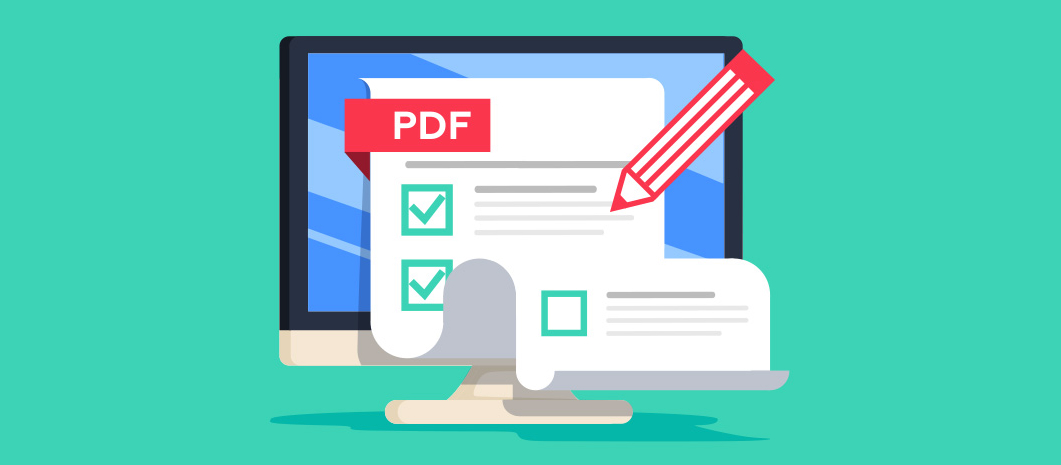
Editing PDFs has often been a challenge due to the difficulty of modifying a file that’s designed to preserve its format. But with the rise of online PDF editors, the process has become faster and more accessible. Whether you’re fixing a mistake in a form, adding text to a presentation, or even rearranging pages, editing PDFs online can save you time and effort. In this guide, we’ll explore the benefits of online PDF editing, the features to look for, and a step-by-step guide to help you get the most out of your editing experience
Why Edit PDFs Online?
The convenience of editing PDFs online has transformed how we handle document revisions. Whether you’re working from home, at the office, or on the go, online PDF editors provide an easy and efficient way to modify your documents. But why choose online editing? Let’s take a look.
Benefits of Editing PDFs Online: Accessibility, No Need for Software Installation, Ease of Use
Accessibility is one of the biggest advantages of online PDF editing tools. As long as you have an internet connection, you can access your files and edit them directly from any device, no need to worry about compatibility or installation. Another key benefit is that you don’t need to install any software. Unlike traditional PDF editing software, which requires you to download and install it on your device, online PDF editors let you start editing immediately in your browser. This eliminates the need for long installation times and storage space. Finally, online PDF editors are often designed to be easy to use. With intuitive interfaces, these tools allow you to perform common tasks without needing advanced technical skills.
Common Scenarios Where Online PDF Editing Is a Lifesaver
There are numerous situations where online PDF editing is a real lifesaver. These include:
- Filling out forms: Many businesses, schools, and government organisations use PDF forms for applications or surveys. Editing these forms online lets you complete them quickly, without needing to print, fill them out by hand, and scan them back.
- Contract changes: In business settings, contracts are often sent as PDFs. Being able to edit and send the updated document back within minutes is a huge time-saver.
- Report revisions: Whether you’re working on a presentation, a research paper, or a financial report, editing a PDF online ensures that you can easily make changes or updates on the fly, especially when you’re away from your primary computer.
Online PDF editors are perfect for these scenarios and more, offering quick solutions to common problems.
Top Features to Look for in Online PDF Editors
When searching for an online PDF editor, it’s important to consider the features that will make your editing process smooth and efficient. Below are some key features to look for:
Key Features
The core features of any PDF editor should include text editing, image manipulation, and page management.
- Text editing: Being able to update or replace text within a PDF is essential for making quick corrections. You should be able to change font styles, sizes, and colors as needed.
- Image manipulation: Whether it’s resizing, replacing, or repositioning images, an easy-to-use PDF editor should give you full control over the visual elements of your document.
- Page removal and reordering: Sometimes you need to delete, add, or rearrange pages within a PDF. A good online PDF editor should allow you to manage pages quickly, ensuring that your document flows logically and efficiently.
Additionally, file conversion is an essential feature. An ideal PDF editor should allow you to convert PDFs to other formats (like Word or Excel) and vice versa, without requiring separate tools.
Security Considerations When Using Online PDF Editors
When editing sensitive documents, security is crucial. Always choose a PDF editor that offers encrypted connections and complies with privacy regulations. It’s essential that your documents remain secure, especially when dealing with confidential or personal information.
Step-by-Step Guide to Editing PDFs Online
Once you’ve chosen your preferred PDF editor, you can start making edits to your document. Below is a simple guide to help you get started with online PDF editing.
How to Upload and Open Your PDF
The first step is to upload your PDF to the online editor. This is typically as simple as dragging the file into a designated area on the website or selecting the file from your device. Most editors will accept PDFs directly from cloud storage services like Google Drive or Dropbox as well, so you can access your documents from anywhere. Once uploaded, your PDF will be opened within the editor, allowing you to start making changes right away.
Editing Text and Images
To edit text, simply click on the area you wish to modify. You can then type directly into the text box or change the existing content. If you want to replace or resize an image, most PDF editors allow you to click on the image and either drag to resize or replace it with another image from your computer or cloud storage. The best online PDF editor will make text editing and image replacement a quick, intuitive process, perfect for when you need to get things done without complicated tools.
Adding and Removing Pages
To add pages, you can either upload additional PDF files or insert blank pages directly from the editor. If you need to remove pages, simply click on the page thumbnail and delete it. Reordering pages is just as easy—drag and drop them into the desired order. This feature is particularly useful when compiling documents or creating reports with multiple sections.
H3: Saving and Downloading Edited PDFs
After making the necessary changes, you’ll want to save your work. Most online PDF editors will automatically save your progress as you go. Once you’re finished, simply click the “Download” button to save the edited PDF to your device. You may also have the option to save the document in different formats, such as Word or Excel, if your editor supports file conversion.
H2: Best Online PDF Editors to Try
There are many online PDF editors available, each offering its own set of features and pricing options. Here’s a quick comparison of some popular tools:
- Lumin: Lumin is an intuitive online PDF editor that allows users to edit text, add images, manage pages, and even sign documents digitally. It also integrates with cloud storage platforms, making it easy to work from anywhere.
- Smallpdf: Smallpdf offers a wide variety of PDF editing tools, including text editing, image manipulation, file conversion, and compression. It’s a simple, user-friendly platform ideal for occasional PDF edits.
- PDFescape: PDFescape is a free online PDF editor with basic editing features, such as text editing, annotations, and form filling. It’s a great option for users looking for a simple, no-cost solution.
- Sejda: Sejda offers a comprehensive set of tools for PDF editing, including OCR, page management, and text editing. It’s an excellent choice for more advanced editing needs, particularly for business users.
Each of these editors has its strengths, so consider your needs—whether it’s basic editing, security, or file conversion, when selecting the right tool for your work.
Tips for Efficient PDF Editing Online
Here are some tips to make your PDF editing experience more efficient:
- Use keyboard shortcuts: Many online PDF editors support keyboard shortcuts for quicker navigation and editing.
- Optimize for smaller files: Large PDFs can slow down the editing process. Consider compressing or splitting large files before editing to improve performance.
- Collaborate effectively: If you’re working with a team, use the PDF annotation and collaboration tools available in your editor. This will help ensure everyone is on the same page.
Avoid common pitfalls like using unsecured platforms, and always check the final document for formatting issues before sharing or submitting it.
Final Thoughts
Editing PDFs online is faster, more convenient, and accessible than ever before. With the right PDF editing tools, you can quickly modify text, replace images, rearrange pages, and add annotations—all without the need for bulky software installations. Whether you’re editing contracts, forms, or presentations, online PDF editing tools offer a simple and efficient solution.
Article edited by Alexander Elisab